Setting Refill Reminder Activity Preferences
This topic is part of the Refill Reminder section and is intended for independent pharmacies only. This topic is not applicable to Rexall pharmacies.
Refill Reminder activity preferences are set in two places:
-
Pharmacy Preferences - default setting for all patients in the pharmacy.
-
Programs tab of the Patient Folder - specific setting for that patient. This overrides the Pharmacy Preferences setting.
Use the dropdowns below to learn more.
 Pharmacy Preferences
The Pharmacy Preferences sets the overall preference for your pharmacy. When set in the Pharmacy Preferences, a Refill Reminder activity is scheduled in the Activities tile for every prescription that has a refill that is not part of the exceptions list.
If a patient does not want to have Refill Reminder or wants a different preference set, this can be done from the Programs tab.
To set the Refill Reminder activities preference in Pharmacy Preferences:
-
Select
 > Pharmacy.
 -
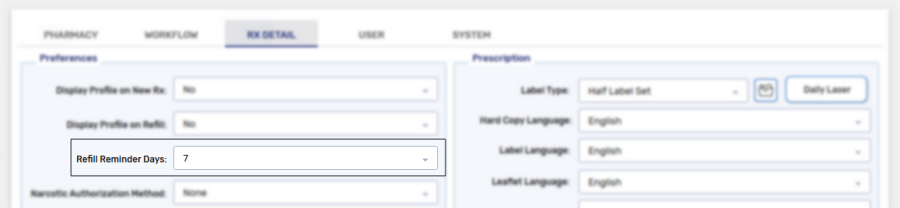
Select the Rx Detail tab.
-
From the Refill Reminder Days dropdown, select one of the following:
-
None - no Refill Reminder activities are scheduled.
-
0-14 - Refill Reminder activities are scheduled the specified number of days after a prescription's days supply is complete.
-
-
Select Save.
This preference is now set for all patients in your pharmacy.
Programs tab of the Patient Folder
The Refill Reminder activities preferences in the Programs tab of the Patient Folder applies to this specific patient and overrides the preferences set in Pharmacy Preferences.
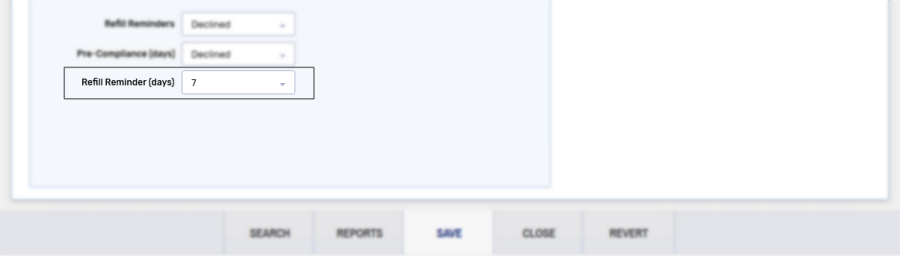
From the Refill Reminder Days dropdown, select one of the following options:
-
Default - uses preferences set in Pharmacy Preferences to determine when a Refill Reminder activity is scheduled.
-
None - no Refill Reminder activity is scheduled.
-
0-14 - Refill Reminder activities are scheduled the specified number of days after a prescription's days supply is complete.
The Refill Reminder and Pre-Compliance (days) dropdowns do not affect the Refill Reminder activities are only used when setting up IVR outbound calling. For more information, see Refill Reminders IVR Outbound Calling.
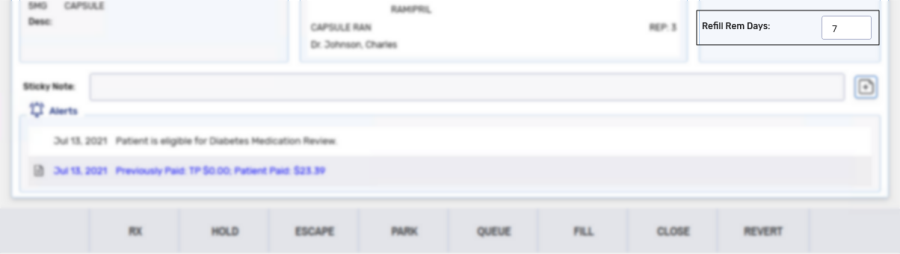
Once the Refill Reminder activity preferences are set, when a prescription that is applicable to the program is filled (and a patient is does not have their Refill Reminder Days dropdown set to None), the Rx Detail window shows the Refill Rem. Days.
Next Steps?
After a prescription that is applicable to the program is processed, the Refill Reminder activity can be found in the Activities tile and must be completed. For more information, see .