Removing a Survey from Propel Rx
This topic is intended for Independent pharmacies only and is not applicable to Rexall pharmacies.
Surveys answered by the patient but not yet analyzed or completed by the pharmacist (i.e., Status = To Be Analyzed or In Progress) can be deleted if they are no longer applicable. To cancel a survey that's unanswered, see Cancelling a Survey Sent from Propel Rx. Completed surveys cannot be deleted.
To delete a survey:
-
Navigate to the Surveys tile on the Workbench.
-
Select the Consultations or Follow Ups tab to locate the survey.
-
Select the survey. Only one survey can be deleted at a time.
-
Select the Remove action button at the bottom.
-
A prompt asks you to confirm the removal. Select Yes.
-
The survey is removed from the Surveys Workbench in Propel Rx.
-
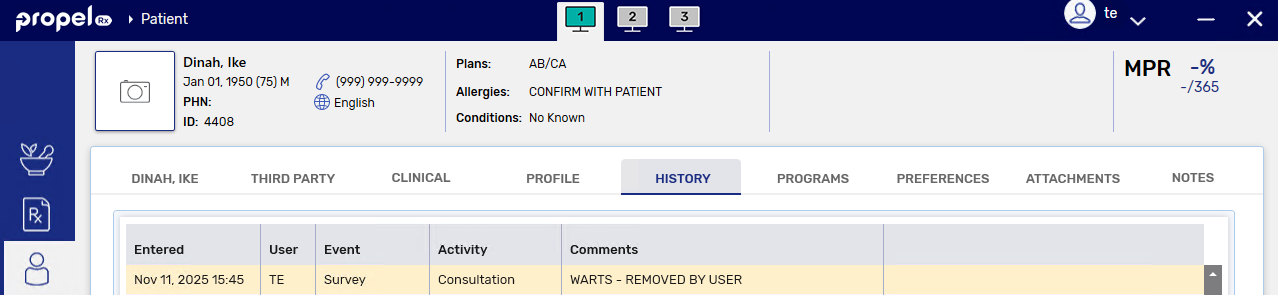
A record is added to the Patient Folder History tab with an Event of Survey, Activity of Consultation or Follow Up, User (pharmacist) who initially sent the survey, and Comments stating the survey type and its removal.
The user in the care history row reflects the pharmacist user who sent the survey, which may not always correspond with the user who removed the survey.
-