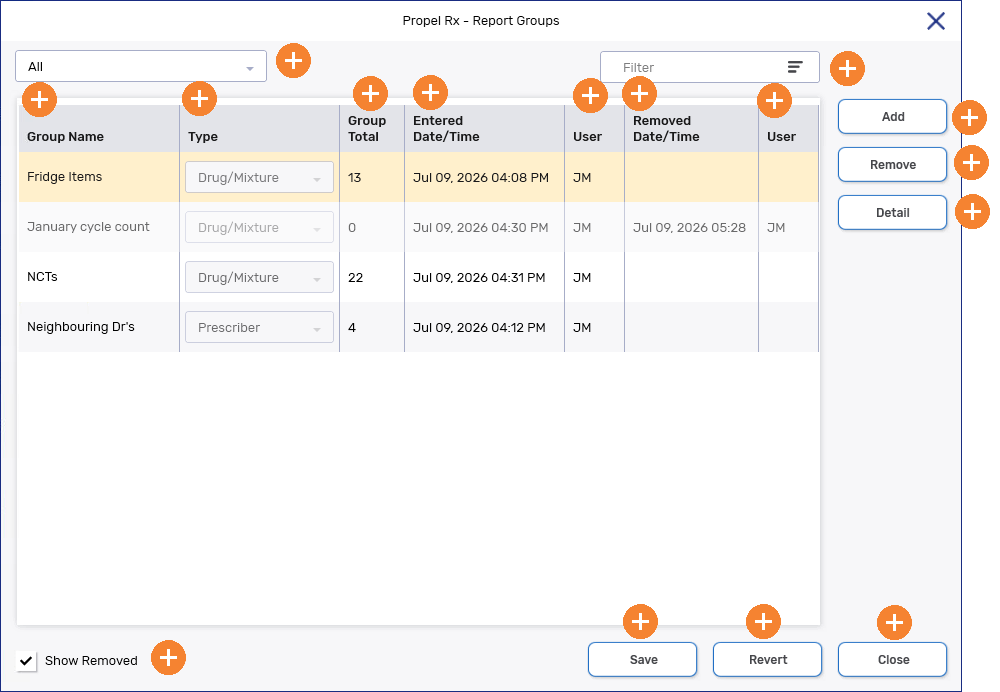
Report Groups Window Overview
The Report Groups window is where you can view and manage all your report groups in one place. From this window, you can create new groups, update existing ones, and remove groups that are no longer needed.
You can also search, sort, and filter your report groups to quickly find what you are looking for. Once a group is selected, you can open it to review or update the records it contains.
By default, the window is sorted alphabetically by group name in ascending order. To update the sort order, select the header for the column you want to sort by. Columns can also be rearranged by clicking and dragging the column header.
Sorting and column placement will revert to their defaults once the Report Groups window is closed.
To learn more about the Report Groups window, select the expander icons  in the image below.