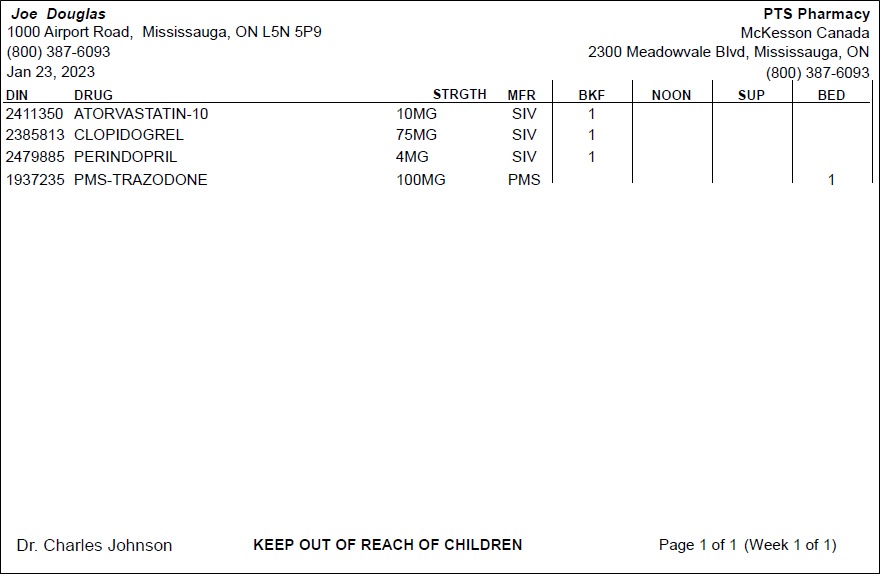
Compliance Dosett - Condensed
The Compliance Dosett - Condensed report is a small version of the Compliance Dosett Grid report.
This report is for internal use only. It does not comply with current labelling standards and should not be used for labelling purposes.
For a prescription to appear on the report:
-
The patient must be flagged as Compliance Pack in the Patient Folder Programs tab.
-
The prescription must be flagged as Compliance Pack in Rx Detail.
-
The patient must be active.
-
The prescription must be active with a Complete, Amend, Amend Next, Hold, or Cancelled status.
 Criteria
- Patient - generates the report for the specified patient.
-
Group - generates the report for patients in the specified Group.
-
Cycle/Wing/Area/Floor - generates the report for patients on the specified cycle, wing, area, or floor as entered in the Group FolderPatients tab.
-
Copies - dictates how many copies of the report are generated. Up to 9 copies can be entered.
Extended
-
Display Drug Name As - determines how the drug name appears on the report.
-
# of Weeks - generates the report for the specified number of weeks. Each label is assigned to a week and displays the week number.
-
Report Type - generates the report for the selected report size. When Compliance Labels are selected, the Select Position button becomes available. Select Position allows you to choose which compliance label position you want to begin the report.
Sort Options
-
Group By - Groups patients on the report by area, cycle, floor, or wing. None can also be selected.
-
Patient Name, Drug Name - sorts the report by patient's name followed by drug name.
-
Patient Name, Fill Date - sorts the report by patient's name followed by prescription fill date.
-
Patient Name, Rx# - sorts the report by patient's name followed by prescription number.