O-MED
Your pharmacy's O-Med PHN can be stored in Propel Rx for reference. They should be used when dispensing office use medications for a practitioner's office. When a prescription is filled for a matching PHN, it will be flagged as "Stock Supply" in Rx Detail and the Half label Hard Copy.
To enter the pharmacy's O-Med PHN:
-
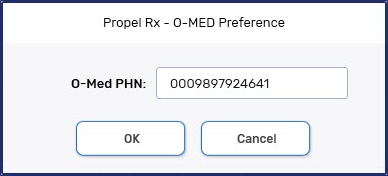
Select More (...) > British Columbia > O-MED. The O-Med Preference window opens.
-
Enter the pharmacy's PHN.
-
Select OK.