Extended Tab in Rx Detail
The Extended tab in Rx Detail allows additional information to be entered for a prescription, such as the number of vial copies or a Special Authorization Expiry date.
To learn more about the Extended tab, select the expander icons  in the image below. For provincial nuances for a specific field, refer to Table 1.
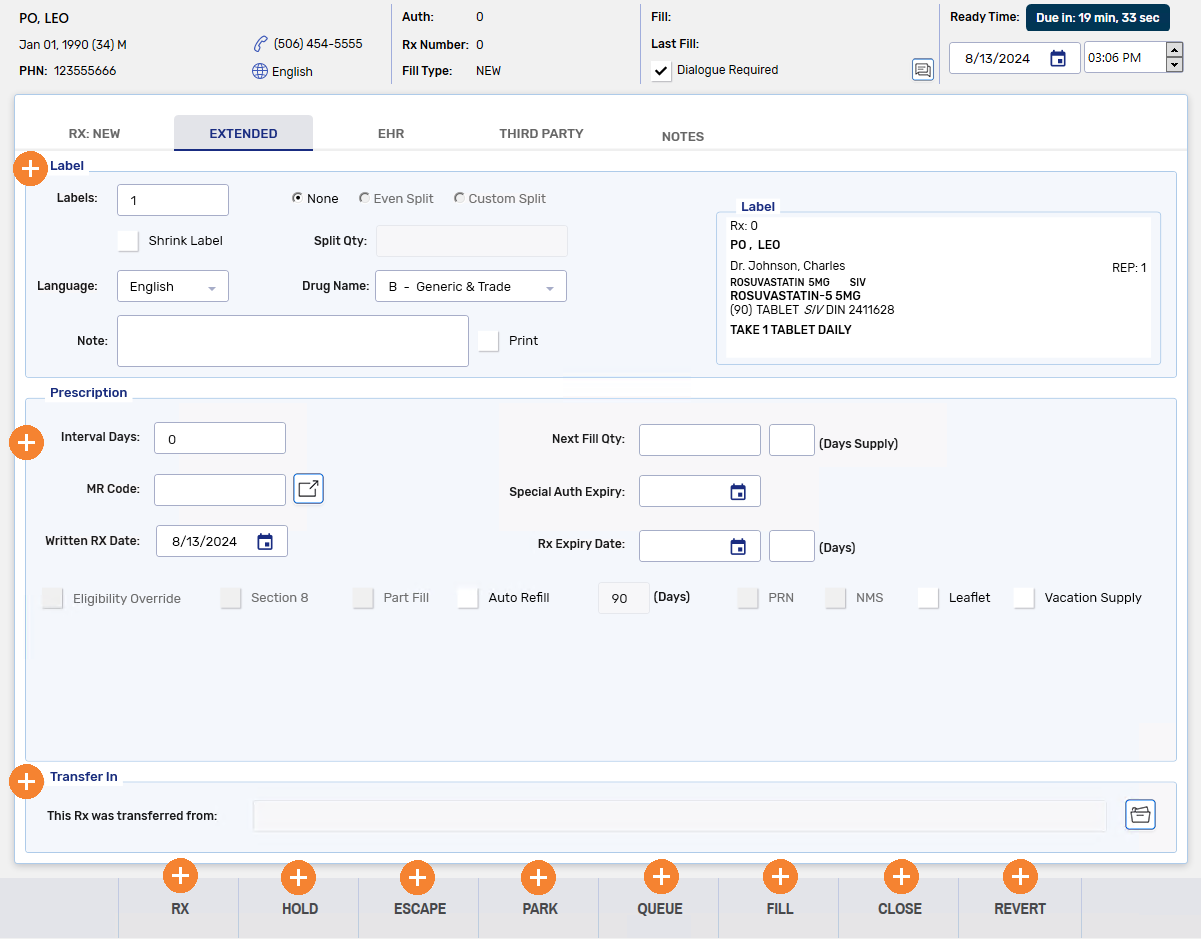
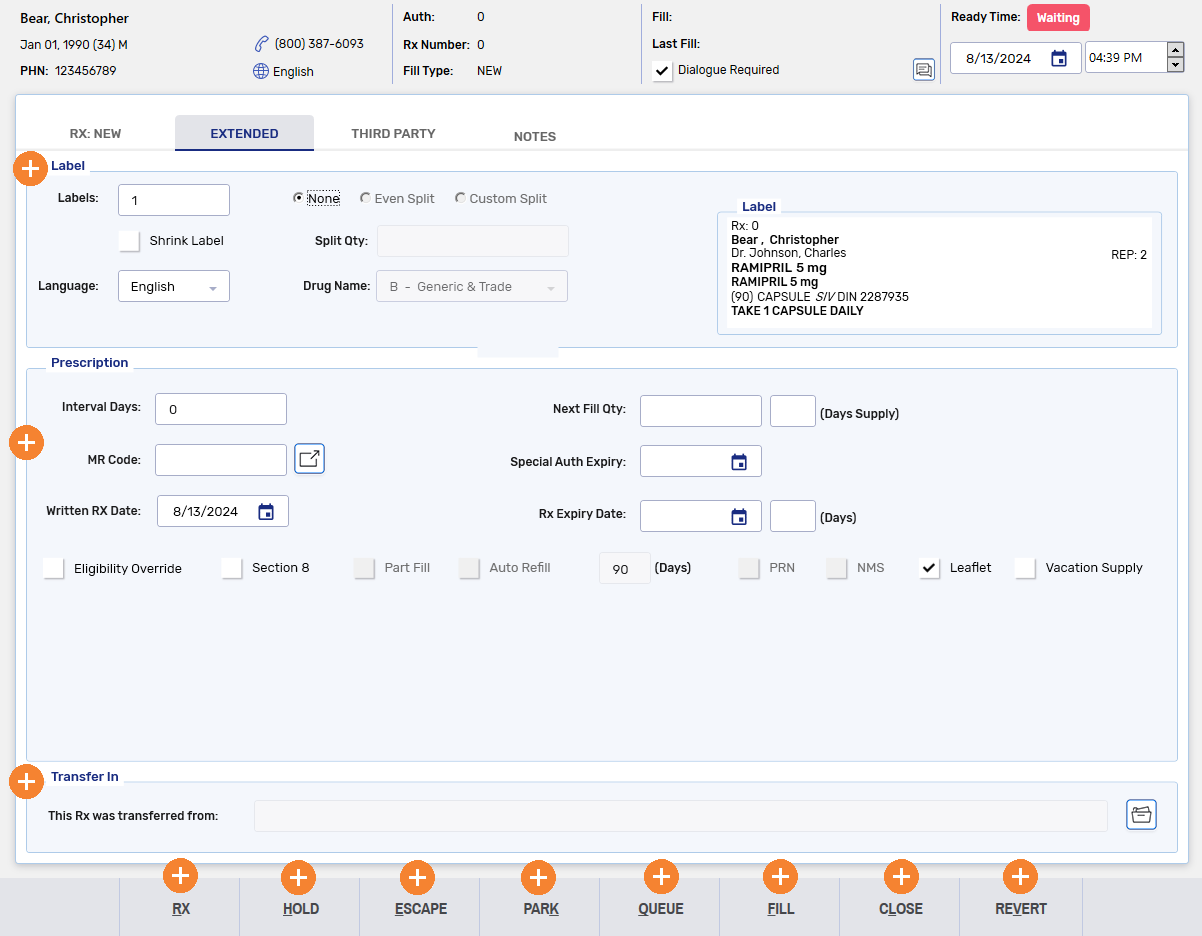
Table 1. Provincial nuances in the Rx Detail Extended tab fields.
| Extended Tab Field | Province | Description |
|---|---|---|
| Written Rx Date and Rx Effective Date | British Columbia | Both the Written Rx Date and Rx Effective Date are sent to the EHR. |
| Interval Days | British Columbia |
The Interval Days is sent to the EHR and disabled on refills. If Interval Days is 1, a Frequency of Dispensing MMI and CS Code must be selected for the prescription. If a code is not selected upon Fill, a validation error appears, and the cursor focus is brought to the CS Codes field in the Rx Detail EHR tab. Once a Frequency of Dispensing MMI and CS Code is selected, it will be retained on refill. |
| Expiry Date | British Columbia | The Expiry Date is sent to the EHR. On the Rx Authorizations Profile, if no expiry date was entered at the time of creating the prescription, the Rx Expiry Date will not appear, but the prescription will only be valid for as long as current regulations dictate based on the written date. |
This section contains the following topics: