Follow-Up Tab
The Follow-Up tab displays details for each drug that has been flagged as a drug therapy problem in the Medication Record tab. You can also document other issues here.
Select the applicable tab to learn about the Follow-Up tab in your province.
If DTPs or issues are documented in the Follow-Up tab of a medication review, they print on the Medication Management Issue form.
To document a Medication Management Issue (MMI):
-
Do one of the following:
-
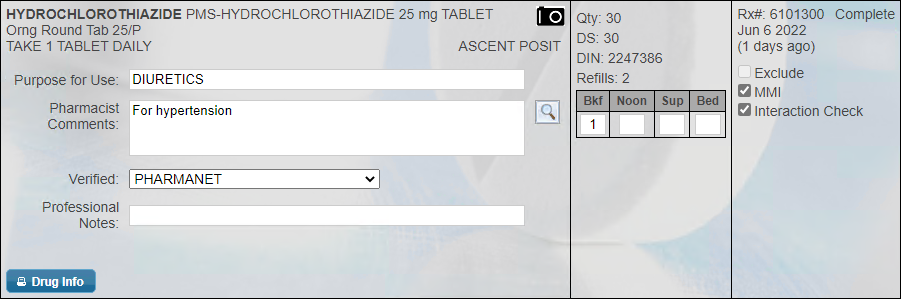
If you identified MMIs with the patient's prescriptions, on the Medication Record tab, select the MMI checkbox for the applicable prescription(s). Then select the Follow-Up tab.
-
If there are no DTPs but you want to document another type of issue, select the Follow-Up tab and proceed to step 3.
-
-
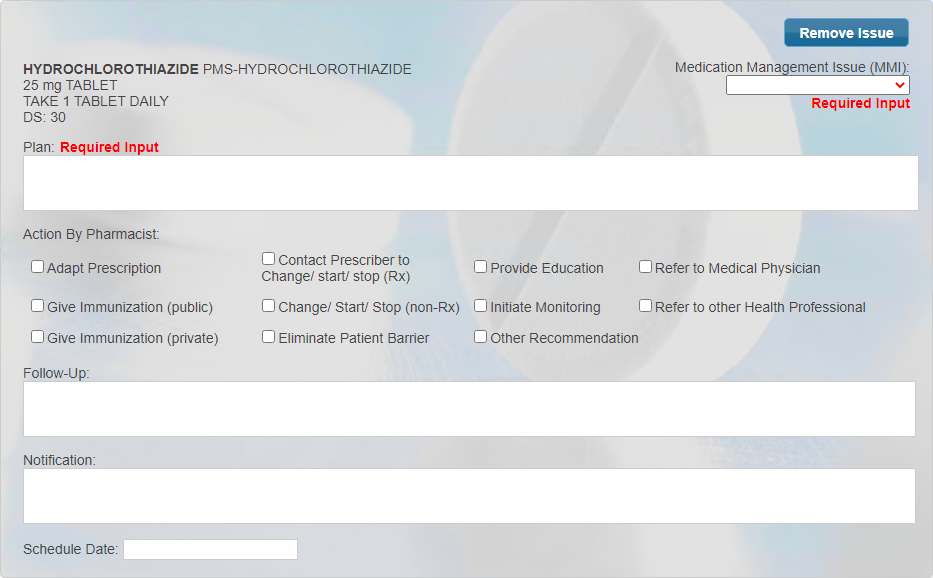
Enter information in each field. If desired, you can specify a date to follow-up with the patient for each MMI.
-
If you would like to document other issues outside of a MMI, select Add Issue. A new issue block is added without drug information. Enter information in each field. If desired, you can specify a date to follow-up with the patient for each issue.
-
Once the medication review is finished and Complete is selected, a Medication Review activity is created and placed in the Activities tile on the specified Schedule Date. When the activity is processed at a later date, the corresponding follow-up medication review is launched in Patient Centre for you to complete. For more information, see Completing a Medication Review Follow-up

If DTPs or issues are documented in the Follow-Up tab of a medication review, they print on the Condition Plan and Intervention form.
To document DTPs or issues in the Follow-Up tab:
-
Do one of the following:
-
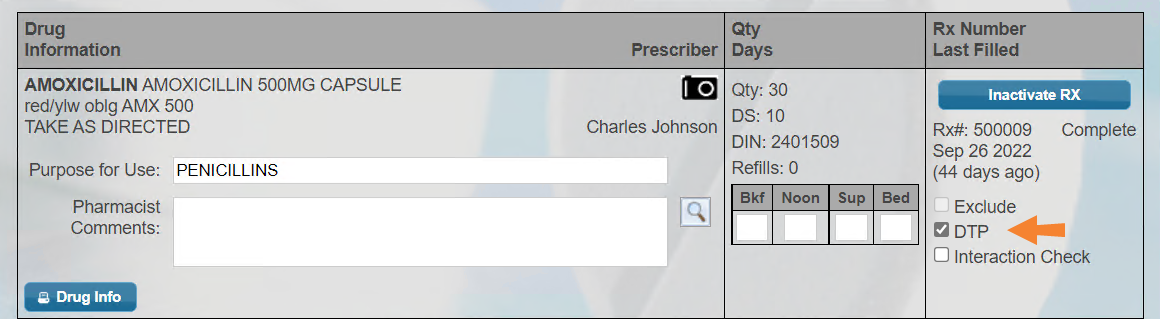
If you identified DTPs with the patient's prescriptions, on the Medication Record tab, select the DTP checkbox for the applicable prescription(s). Then select the Follow-Up tab.
-
If there are no DTPs but you want to document another type of issue, select the Follow-Up tab and proceed to step 3.
-
-
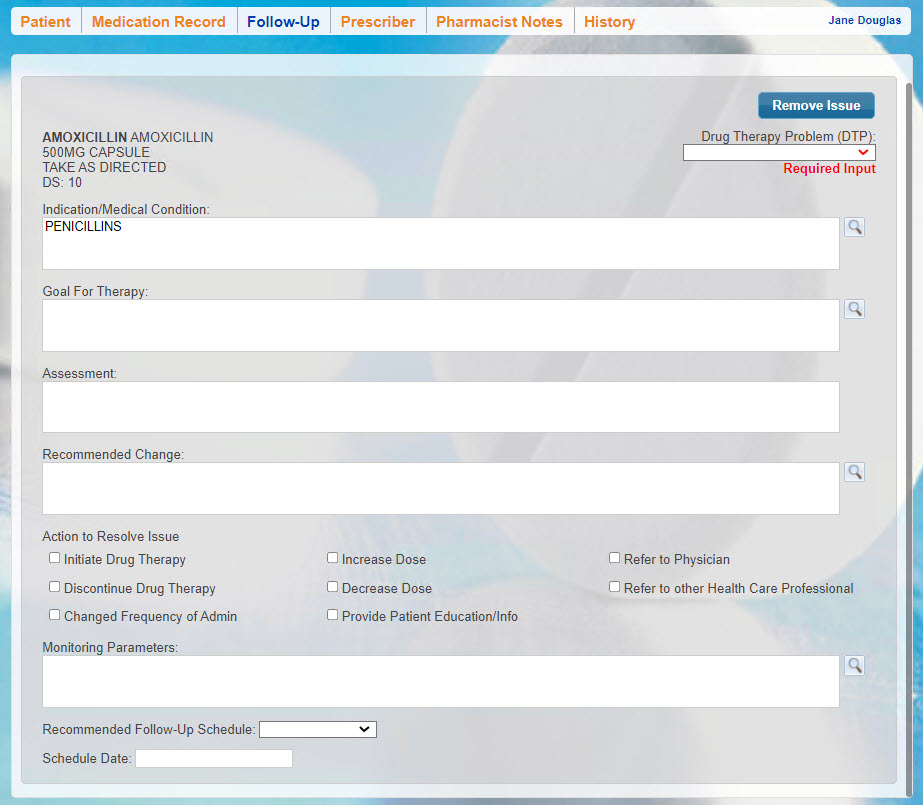
Enter information in each field. If desired, you can specify a date to follow-up with the patient for each DTP.
-
If you would like to document other issues outside of a DTP, select Add Issue. A new issue block is added without drug information. Enter information in each field. If desired, you can specify a date to follow-up with the patient for each issue.
-
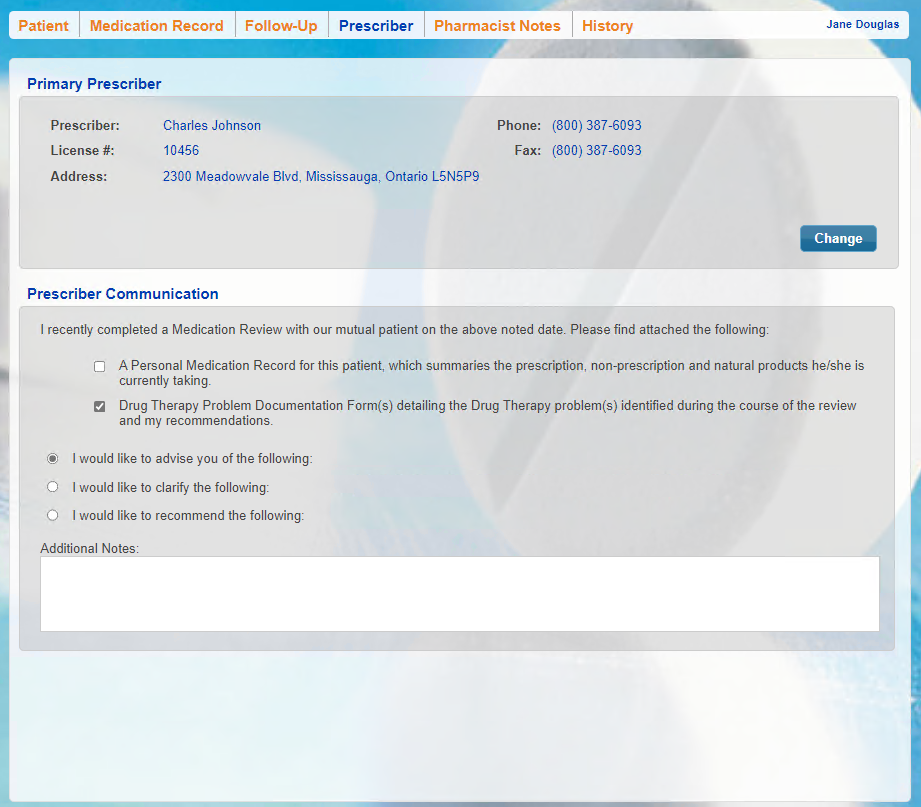
Select the Prescriber tab.
-
Under the Prescriber Communication section:
-
Select the Drug Therapy Problem Documentation Form(s) checkbox.
-
Select the applicable radio buttons.
-
Enter any Additional Notes, if required.
-
-
Once the medication review is finished and Complete is selected, a Medication Review activity is created and placed in the Activities tile on the specified Schedule Date. When the activity is processed at a later date, the corresponding follow-up medication review is launched in Patient Centre for you to complete. For more information, see Completing a Medication Review Follow-up
If DTPs or issues are documented in the Follow-Up tab of a medication review, they print on the SMAP Care Plan form.
To document a DTP:
-
Do one of the following:
-
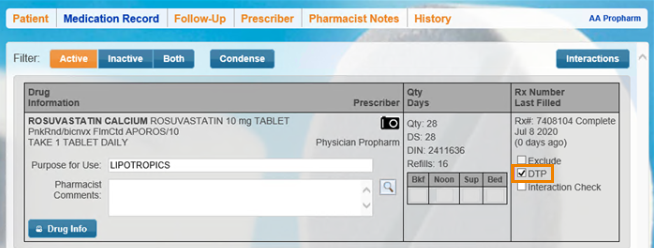
If you identified DTPs with the patient's prescriptions, on the Medication Record tab, select the DTP checkbox for the applicable prescription(s). Then select the Follow-Up tab.
-
If there are no DTPs but you want to document another type of issue, select the Follow-Up tab.
-
-
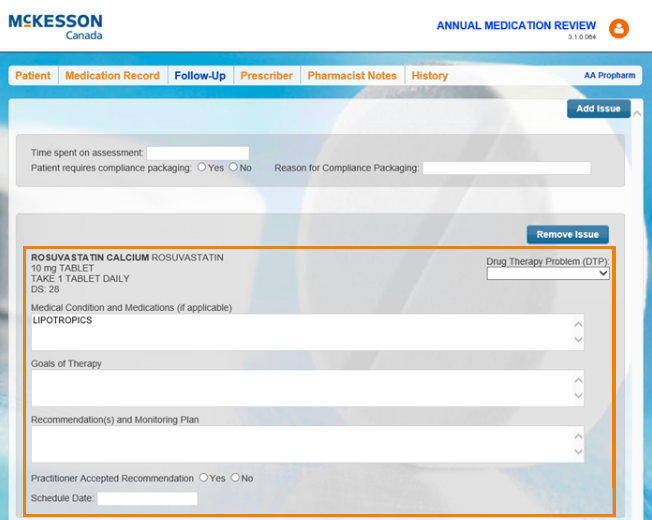
Enter the time taken for the assessment and indicate whether the patient needs compliance packaging.
-
If documenting a DTP, enter information in each field. If documenting other issues outside of a DTP, select Add Issue to add a new issue block without drug information and complete the fields. If desired, you can specify a date to follow-up with the patient for each DTP or issue.
-
Once the medication review is finished and Complete is selected, a Medication Review activity is created and placed in the Activities tile on the specified Schedule Date. When the activity is processed at a later date, the corresponding follow-up medication review is launched in Patient Centre for you to complete. For more information, see Completing a Medication Review Follow-up
Next Steps
Complete the Prescriber Tab.