Activities Grid
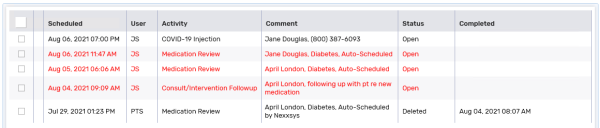
The Activities Grid displays all activities that match the display options and filters set.
Activities displayed in red are open activities that are past their scheduled date.
The Activities Grid displays the following information:
-
Scheduled - the date and time the activity is scheduled at.
-
User - the user the activity is scheduled for.
-
Activity - the type of activity.
-
Comments - comments that were entered when the activity was created.
-
Status- current status of the activity.
-
Completed - the completed date and time. Displays only for completed or deleted activities.