Setting Guided Reordering for a Product
This topic is intended for Independent pharmacies only and is not applicable to Rexall pharmacies.
Once Guided Reordering is enabled at the pharmacy level, it can be set up for a product (pack size) in the Drug Folder. When this order method is chosen, you specify how much dispense history you want to consider for the calculation as well as the amount of stock you want to keep on your shelves. Propel Rx then calculates the Guided Reorder Point (Guided ROP) and order quantity for automatic reordering. For more information about the calculation, see Guided Reorder Point Calculation.
To set up a product to use Guided Reordering:
-
Open the Drug Folder.
-
In the Inventory tab, from the Packs Available section, select the applicable pack size.
-
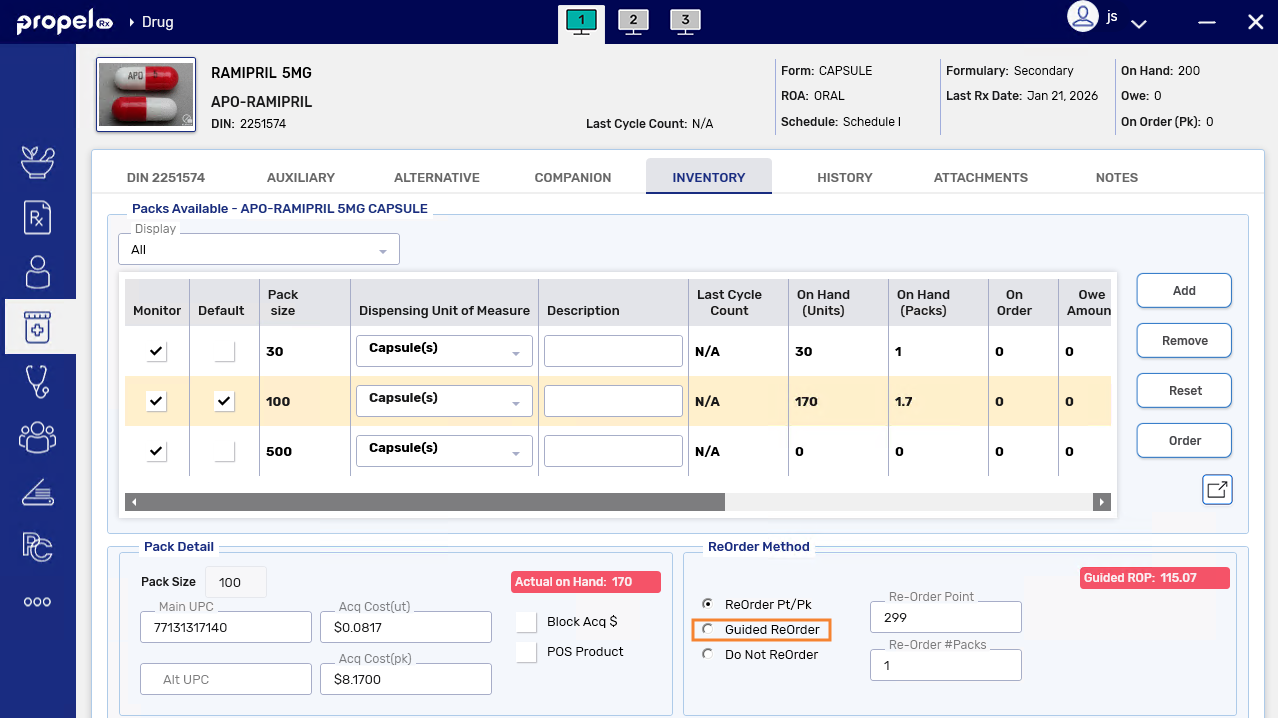
In the ReOrder Method section, select the Guided ReOrder radio button. The Days Supply, Rx History, and Safe Supply fields appear and become enabled. The values in these fields are defaulted based on your pharmacy-level preference. For more information, see Setting the Guided Reordering Preference.
-
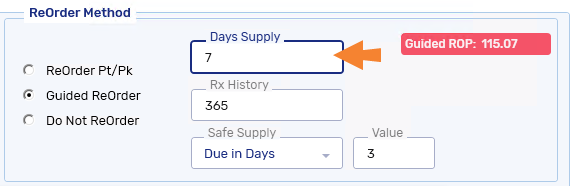
In the Days Supply field, enter the minimum days worth of stock you want to keep on your shelves (between 1 and 365).
-
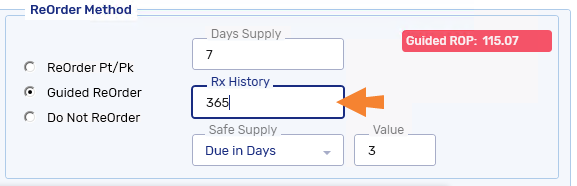
In the Rx History field, enter the number of days worth of dispensing history that should be considered in the Guided ROP calculation (between 30 and 365). Only prescriptions with a Complete or Amend status are considered.
 Exclusions
The following types of prescriptions are excluded from calculations for Guided Reordering:
-
Prescriptions with a status of Transferred, Hold, Inactive, Suspended, Revoked, Discontinued, or Refusal to Fill.
-
Prescriptions for patients with a status of Deceased, Hospitalized, Inactive, or Obsolete.
-
Prescriptions sent to off-site packagers or Central Fill.
At least 30 days worth of dispensing history is required to calculate the Guided Reorder Point (Guided ROP).
-
-
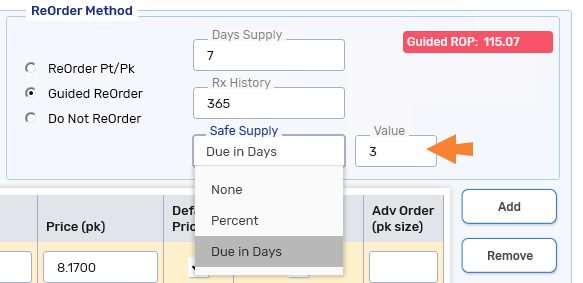
In the Safe Supply field, select the amount of buffer you want to add to the calculation.
-
None - no buffer is added.
-
Percent - a percent of the average daily number of units that your pharmacy dispenses for a product will be included to the calculation.
-
Due in Days - the units required for Auto Refill and batched prescriptions due in the specified number of days will be included in the calculation.
-
-
Select Save.
-
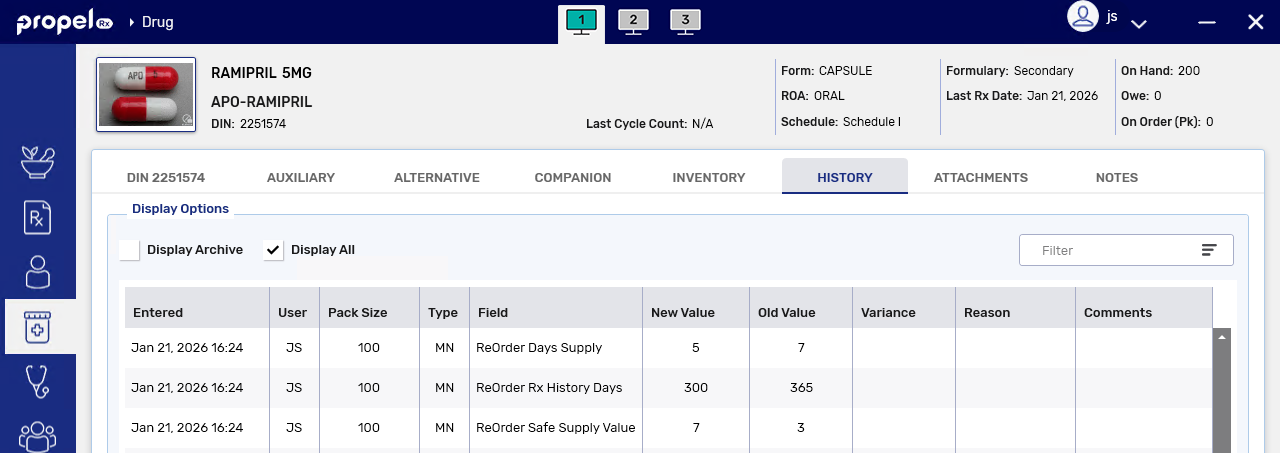
A row is added to the Drug Folder History tab to track changes to the order method, Days Supply, Rx History, and Safe Supply fields.
-
The Guided ROP is recalculated. If the new value results in a change to the order quantity, the Guided ROP is updated for the product and a row is added to the Drug Folder History tab. If there is no change to the order quantity, the Guided ROP remains the same.
-